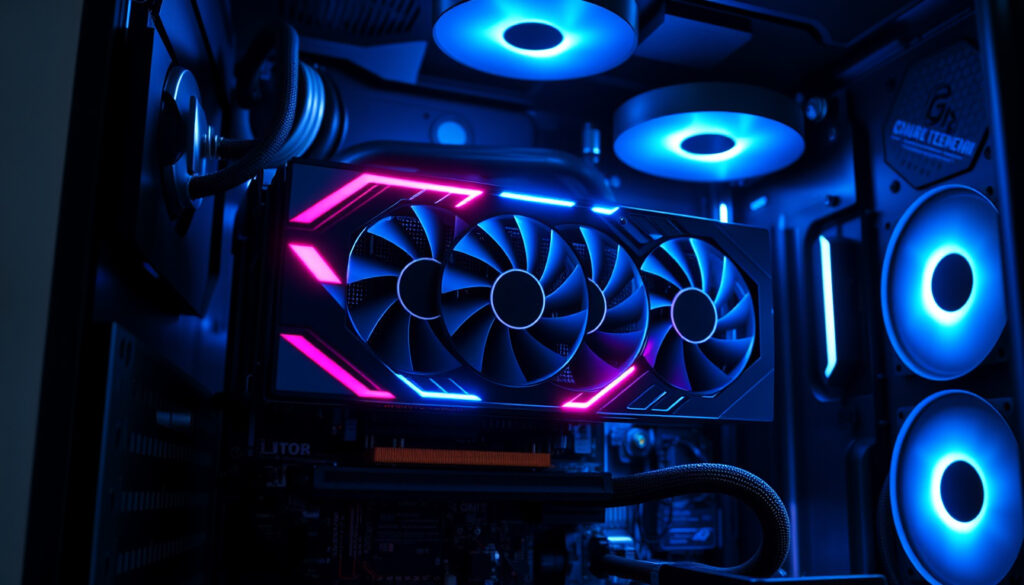
What Is a GPU – Complete Beginner’s Guide
A graphics processing unit (GPU) is a specialized electronic circuit designed to accelerate computer graphics and perform high-speed mathematical calculations. Functioning either as a discrete component on a graphics card or integrated into motherboards, mobile devices, and game consoles, GPUs have become essential to modern computing.
Unlike earlier graphics controllers with no internal calculation capabilities, modern GPUs can perform operations like drawing lines, text, and 3D graphics independently. They excel at applying the same instruction to large datasets concurrently, making them particularly effective for tasks ranging from rendering lifelike video game environments to training artificial intelligence models.
This technology has evolved significantly since its introduction, transforming from a specialized graphics renderer into a versatile parallel processor that powers applications across gaming, professional visualization, scientific research, and machine learning.
What Is a GPU and How Does It Work?
GPUs operate through parallel architecture by dividing complex tasks into smaller workloads executed across multiple processing cores simultaneously. Each core processes a portion of data concurrently, making this model especially effective for applying the same instruction to large datasets. This architecture enables GPUs to achieve throughput levels that would be impractical for traditional processors handling identical tasks sequentially.
The key components enabling this performance include dedicated high-bandwidth memory known as VRAM, hundreds to thousands of compute engines on a single chip, and high-speed interfaces like PCI Express that facilitate rapid data transfers between system memory and the GPU’s own memory. Custom programs called shaders allow developers to extend GPU functionality for specialized rendering effects and general-purpose computation.
- GPUs process thousands of operations simultaneously, while CPUs handle fewer operations in sequence
- The modern GPU emerged during the 1990s, initially adding drawing operations without CPU assistance before evolving to include 3D functionality
- NVIDIA coined the term “GPU” in 1999 with the introduction of the GeForce 256
- GPUs excel at running matrix operations required for machine learning workloads due to their parallel design
- High-bandwidth VRAM enables swift data transfers for large data-intensive operations
- CUDA parallel processing software, introduced by NVIDIA in 2006, opened GPUs to general-purpose computing
| Aspect | Details |
|---|---|
| Stands For | Graphics Processing Unit |
| Introduced As Term | 1999, NVIDIA with GeForce 256 |
| Core Count | Hundreds to thousands of simpler compute engines |
| Memory Type | Video Random Access Memory (VRAM) |
| Architecture | Massively parallel processing |
| Data Transfer | High-speed interfaces like PCI Express |
| Specialized Programs | Shaders for custom rendering effects |
| Primary Advantage | High throughput for data-parallel workloads |
What Is a GPU Used For?
GPUs serve as high-performance processors well-suited for data-intensive operations across multiple industries. Their ability to handle thousands of concurrent calculations makes them indispensable for tasks that require processing massive amounts of similar data simultaneously.
Graphics Rendering and Gaming
GPUs accelerate the rendering of images and animations on computers and gaming platforms, handling lighting, shadows, and texture effects in parallel. This parallel processing capability allows modern games to display detailed virtual environments with realistic lighting and complex visual effects in real time. The gaming industry has historically driven GPU development, with each generation of graphics cards enabling higher resolutions, faster frame rates, and more sophisticated visual effects.
Artificial Intelligence and Machine Learning
GPUs are increasingly used for AI processing due to their linear algebra acceleration capabilities, which are extensively employed in both graphics processing and neural network training. They excel at running the matrix operations required for machine learning workloads, making them essential for training large language models, computer vision systems, and other AI applications. This intersection of graphics technology and artificial intelligence has fundamentally changed how researchers approach computational challenges in the field.
Neural network training requires repeatedly performing matrix multiplications on massive datasets. The same parallel architecture that renders thousands of pixels simultaneously in video games makes GPUs exceptionally efficient at these mathematical operations, reducing training times from weeks to days or hours.
Video Editing and Image Processing
Video editing requires applying similar mathematical operations on large datasets, tasks where GPUs’ parallel design provides significant efficiency advantages. Modern video editing software leverages GPU acceleration for real-time preview playback, color grading, effects processing, and final rendering. This acceleration has made professional-grade video production accessible on consumer hardware.
High-Performance Computing
Scientific simulations, climate modeling, molecular dynamics, and other compute-intensive research tasks benefit from GPU acceleration. Supercomputers incorporating thousands of GPUs can perform calculations that would take traditional CPU-based systems months or years to complete. This capability has accelerated discoveries in fields ranging from pharmaceutical research to astrophysics.
GPU vs. CPU: What’s the Difference?
The distinction between GPUs and CPUs reflects fundamental differences in processor design philosophy. While both are essential computing components, their architectures optimized for different types of workloads create distinct advantages and limitations.
| Feature | CPU | GPU |
|---|---|---|
| Primary role | General-purpose processing and system control | Parallel computation and graphics acceleration |
| Core count | Few complex cores (4–16) | Hundreds to thousands of simpler cores |
| Execution style | Sequential processing | Massively parallel processing |
| Optimized for | Logic, I/O, control flow, multitasking | Image rendering, matrix math, AI/ML workloads |
| Workload type | Diverse, low-latency tasks | High-throughput, data-parallel workloads |
| Memory access | Flexible, cached memory hierarchy | High-bandwidth dedicated VRAM |
A CPU with fewer but more sophisticated cores excels at sequential tasks requiring complex logic and rapid task switching. It handles operating system operations, application coordination, and most everyday computing tasks where low latency and versatile decision-making matter more than raw throughput. In contrast, a GPU contains hundreds or thousands of simpler compute engines that specialize in handling many numeric operations concurrently, making it ideal for tasks where the same calculation must be applied to vast amounts of data.
Understanding Bottlenecks
When a CPU cannot supply data to the GPU fast enough to keep all its cores active, a CPU-GPU bottleneck occurs. This situation typically arises when processing very high-resolution textures or running complex physics simulations. System builders must balance CPU and GPU capabilities based on intended workloads to avoid investing disproportionately in one component while the other limits overall performance.
Is a GPU the Same as a Graphics Card?
These terms are not synonymous, and confusing them leads to misunderstandings when discussing computer hardware. Understanding the distinction helps consumers make informed decisions when purchasing upgrades or replacements.
A GPU is the specialized processor responsible for drawing images on your screen and handling complex visual tasks—the “brain” of graphics processing operations. It performs the mathematical calculations that transform data into the pixels displayed on monitors. The GPU itself is a semiconductor chip, typically manufactured by companies like NVIDIA, AMD, or Intel.
A graphics card is the broader hardware component that houses the GPU along with additional circuitry, memory modules, power delivery systems, cooling mechanisms, and display outputs. The graphics card is what users physically install in their computers, while the GPU is the specific chip mounted on that card performing the actual computations.
Many processors include integrated graphics that share memory with the CPU, offering basic display capabilities for everyday tasks. Discrete graphics cards, by contrast, contain their own dedicated GPU, memory, and cooling systems, delivering significantly higher performance for demanding applications. The graphics card provides the complete package including everything needed to render visuals independently.
Types of GPUs Available
Integrated GPUs (iGPU) are embedded into CPUs or system-on-chip designs, sharing system memory with the processor. These components deliver adequate performance for office work, web browsing, and media consumption while consuming minimal power and generating little heat.
Discrete GPUs are standalone chips mounted on their own circuit board, typically attached to a PCI Express slot. These add significant processing power at the cost of additional energy consumption and heat generation, generally requiring dedicated cooling solutions for maximum sustained performance.
Virtual GPUs (vGPU) are software-defined GPUs used in cloud and virtualized environments. They allow multiple virtual machines to share physical GPU resources, enabling cloud computing services to offer GPU-accelerated instances for workloads like machine learning training and video rendering.
GPU Examples and Recommendations
The GPU market features products ranging from budget-friendly options suitable for basic display needs to flagship graphics cards designed for professional workstations and enthusiast gaming. Selecting the right GPU depends on intended applications, budget constraints, and existing system capabilities.
Major GPU Product Lines
NVIDIA’s GeForce series represents the company’s consumer gaming graphics cards, ranging from entry-level models to enthusiast-class hardware capable of running games at maximum settings in 4K resolution. The company also produces data center GPUs optimized for AI training and inference workloads, along with professional Quadro graphics cards designed for CAD applications and content creation.
AMD’s Radeon graphics cards compete across price segments, offering alternatives for gamers and professionals seeking high performance without exclusively purchasing NVIDIA hardware. Their RDNA architecture powers both gaming-focused products and compute accelerators designed for machine learning and scientific computing applications. AMD’s Radeon graphics cards compete across price segments, offering alternatives for gamers and professionals seeking high performance without exclusively purchasing NVIDIA hardware, and you can find a great Samsung Galaxy S25 Ultra чохол to protect your device. Samsung Galaxy S25 Ultra чохол
When evaluating graphics cards, consider memory capacity for your intended resolution and texture quality, processing core count and architecture efficiency, cooling solution effectiveness for sustained workloads, power consumption requirements and PSU compatibility, and physical dimensions fitting your case. The best GPU for gaming differs from the optimal choice for machine learning or professional content creation.
What Makes a Good GPU?
A quality graphics card balances several factors including raw performance metrics like frame rates and compute throughput, memory bandwidth and capacity for handling large datasets, effective cooling to maintain performance under sustained loads, driver stability and software ecosystem support, and value proposition relative to competing options. The research notes indicate that comprehensive benchmark data would be needed to provide specific product recommendations, as performance varies significantly across price points and intended use cases.
Understanding the GPU Timeline
The graphics processing unit has evolved through distinct phases, with each era bringing architectural improvements that expanded GPU capabilities beyond pure graphics rendering. This progression has shaped the versatile computing component users depend on today.
- 1999 — NVIDIA introduces the GeForce 256, widely considered the first true GPU, combining geometry processing and pixel rendering on a single chip
- 2001–2005 — GPUs evolve to handle programmable shaders, enabling developers to create custom visual effects beyond fixed rendering pipelines
- 2006 — NVIDIA launches CUDA (Compute Unified Device Architecture), enabling developers to program GPUs for general-purpose parallel computing applications
- 2007–2012 — GPU adoption accelerates in supercomputing, with systems like Tianhe-1A ranking among the world’s fastest computers
- 2012–2018 — Deep learning revolution begins as researchers discover GPU parallel processing efficiency for neural network training, dramatically reducing training times
- 2018–2020 — Ray tracing technology debuts in consumer GPUs, enabling real-time realistic lighting, shadows, and reflections in games
- 2020–present — AI and machine learning applications drive unprecedented GPU demand, prompting manufacturers to develop specialized AI accelerators alongside traditional graphics products
The Role of GPUs in Modern Computing
GPUs have transformed from specialized graphics components into general-purpose parallel processors that drive innovation across nearly every industry. This evolution traces back to fundamental architectural choices that prioritized throughput over single-thread performance, creating processors ideal for the data-parallel workloads increasingly common in modern computing.
Market leaders NVIDIA and AMD continue developing new architectures that push performance boundaries, while Intel has re-entered the discrete GPU market after years focused on integrated graphics. This competition drives rapid innovation, with each generation delivering substantial improvements in performance, power efficiency, and new capability support.
Looking forward, GPUs appear positioned to remain central to computing advancement as artificial intelligence, scientific simulation, and visual computing demands continue growing. The same parallel architecture that renders video game graphics enables the neural network computations underlying large language models, autonomous vehicles, and scientific discoveries that extend human knowledge.
Key Sources and Expert Perspectives
A GPU accelerates graphics rendering by performing the complex calculations needed to display images, animations, and video on a computer screen. Unlike a CPU, which handles a wide range of tasks sequentially, a GPU excels at processing many calculations simultaneously.
— Intel Technology Brief
The GPU was designed for digital image processing and manipulation. Unlike earlier graphics controllers that had no internal calculation capabilities, modern GPUs can perform operations like drawing lines, text, and 3D graphics independently, with the ability to run custom programs called shaders.
— Wikipedia, Graphics Processing Unit
GPUs excel at parallel computing, performing the same operation on multiple data values at the same time. This increases processing efficiency for compute-intensive tasks, making them particularly effective for machine learning, scientific simulations, and graphics rendering.
— IBM Technology Insights
Summary
A graphics processing unit represents a specialized approach to processor design optimized for parallel workloads. Unlike CPUs designed for versatile sequential processing, GPUs contain hundreds to thousands of simpler cores capable of performing identical operations on vast datasets simultaneously. This architecture makes them exceptionally effective for graphics rendering, artificial intelligence training, video processing, and scientific computing applications. Understanding the distinction between GPUs and graphics cards helps consumers navigate hardware discussions, while familiarity with the GPU versus CPU comparison guides system builders seeking optimal performance. For those working with trigonometric calculations or angle measurements, related tools like the Right Angle Triangle Calculator and Sin Cos Tan Table may prove useful.
Frequently Asked Questions
What does GPU stand for?
GPU stands for Graphics Processing Unit. It is a specialized electronic circuit designed to accelerate computer graphics and perform high-speed mathematical calculations, particularly those involving parallel processing of large data sets.
What is a GPU used for?
GPUs are used for graphics rendering in gaming, artificial intelligence and machine learning training, video editing and image processing, scientific simulations, cryptocurrency mining, and high-performance computing applications.
What is the difference between GPU and CPU?
CPUs contain few complex cores optimized for sequential processing and diverse tasks, while GPUs contain hundreds to thousands of simpler cores optimized for parallel processing. CPUs handle general computing tasks, and GPUs excel at applying the same operation to large datasets simultaneously.
Is a GPU a graphics card?
No, a GPU and a graphics card are different. The GPU is the processor chip that performs calculations, while a graphics card is the complete circuit board that houses the GPU along with memory, cooling systems, power delivery, and display connectors.
What is VRAM in a GPU?
VRAM (Video Random Access Memory) is dedicated high-bandwidth memory located on the graphics card, used to store textures, frame buffers, and other data the GPU needs rapid access to during processing. More VRAM enables higher resolution textures and multiple displays.
Can a GPU work without a CPU?
No, a GPU cannot function independently. It requires a CPU to initialize it, provide data to process, and coordinate overall system operations. The GPU accelerates specific parallelizable tasks but depends on the CPU for system control, memory management, and non-parallel workloads.
What was the first GPU?
NVIDIA introduced the GeForce 256 in 1999, widely considered the first processor designed specifically to be a GPU. It was the first chip to combine geometry processing and pixel rendering, handling transform and lighting calculations previously performed by the CPU.
What is a CPU-GPU bottleneck?
A CPU-GPU bottleneck occurs when the CPU cannot supply data to the GPU fast enough to keep all GPU cores active. This limits overall system performance and typically indicates an unbalanced configuration where one component is significantly faster than the other.
More related posts
 Squash Courts Near Me: Ireland Clubs & Bookings Guide
 Hugh Laurie Movies and TV Shows – Complete Filmography Guide
 Mucus Plug Color Chart: What Each Color Means and When to Worry
 South Africa vs India Match Scorecard – 2025 Test & ODI Results
 Violet Myers: Filmography, Biography, and What’s Confirmed
 Taylor Swift and Travis Kelce: Timeline, Age Difference & Facts
 Ministry of Ungentlemanly Warfare: True Story & Box Office
 India vs South Africa – T20I Series Results and Key Stats
